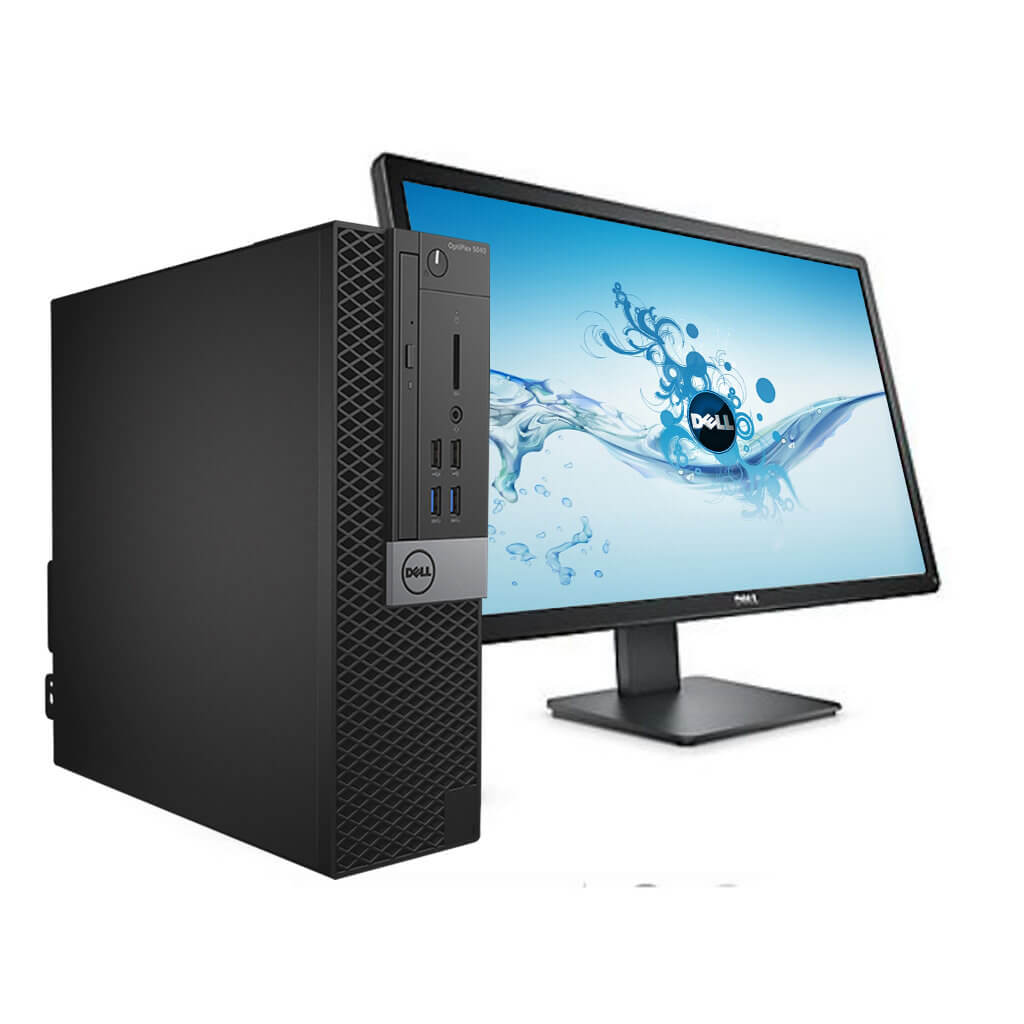
We just received our first Dell Optiplex 5040 Desktop for the summer refresh at the Middle School.  Boy this thing has fought us from the beginning.  It’s been very frustrating.

We encountered a bunch of problems (and solved them all, thankfully):

  1. Windows 7 would not install from USB media.
  2. Windows 7 would not detect any USB drive, but would power and respond to mouse/keyboard on the same ports.
  3. Windows 7 keyboard driver strangeness including not responding to Num/Caps/Scroll Lock keys.
  4. Windows 7 keyboard driver strangeness including keys responding to input but not working properly (typing in a password and finding that you could not login despite KNOWING that the pressed the right keys).
  5. Altiris Deployment Services not collecting the image (Failed claiming “RDeploy: The EFI variable could not be read”).

Our solution to these issues is presented below.

Continue reading

Source: WPScan by the WPScan Team

If you’re using a WordPress site then you really should be using the WordPress Scanner WPScan.  It’s SUPER simple to install and very user friendly.

I heard about it from ma.ttias.be’s website which I’ve been following for a while now since he’s pretty spot on when it comes to IT Security and does a good deal of work with Zabbix (Mobile Zabbix UI, if you haven’t checked it out, is pretty sweet).

Returning to the original subject,  WPScan.

For me, installation was a simple series of commands (I’m running Ubuntu 14.04.2, LTS):

  1. sudo apt-get install libcurl4-openssl-dev libxml2 libxml2-dev libxslt1-dev ruby-dev build-essential
  2. git clone https://github.com/wpscanteam/wpscan.git
  3. cd wpscan
  4. sudo gem install bundler && bundle install --without test
  5. ./wpscan.rb --update
  6. ./wpscan.rb --url http(s)://yourwebsite.whoa

Running the scan on my website revealed an HTML file that tells the WordPress version (not in and of itself a vulnerability, but still why give an attacker any information right off the bat), open Registration being enabled (I don’t mind, this isn’t a vulnerability it just results in me getting a LOT of spam), and directory listing being enabled (pretty significant in my book).

All in all, the process took about 15 minutes from install to secured.

This is highly recommended in my book.

Cheers,

-M

On or about 12/9/2014, Microsoft released a Windows Update for all machines greater and equal to Windows 7, KB3004394.

If you have installed this update, I strongly recommend you remove it as soon as possible.

Through my own testing (and confirmation from various sites whose links I will post below) I can confirm two things:

1) Installing KB3004394 on a machine that has Media Center Extenders attached to it will break the extender functionality.
2) Installing KB3004394 on a Windows 7 machine -can- result in being unable to do any more Windows Updates.

Intrigued? Read on.

I installed KB3004394 on 12/9/2014, as part of my usual bi-weekly update schedule (and also because I was re-imaging my desktop).

I installed it on all my computers (1 Desktop, 2 Laptops, 1 Tablet, 1 HTPC) and on all of them running Windows 7 I started encountering major problems.

I installed it on my HTPC which has a Ceton Echo and an Xbox 360 as a Media Center Extender attached to it for the purposes of watching TV. After the update was installed, I found that upon starting the Extender, I would get the “Windows Media Center” screen and then nothing but a black display. I could still move about the menus (as indicated by the audio playing and what not) but you could not see anything. Uninstalling KB3004394 per these threads (One, Two) and all of a sudden my Extenders were working again.

I installed it on my Desktop which was just freshly rebuilt (I got in on a 480 GB SSD on Amazon!) and all of a sudden I could not install ANY other Windows updates because of error 800706F7.  Looking into the error code in Event Viewer and I saw that it was not able to communicate or properly secure the download of the new updates.  Thanks to my roommate Nick he found that a bunch of other people were having problems with KB3004394 preventing updates (One, Two, Three).  I uninstalled KB3004394 immediately and now my desktop updates properly.

It is very telling that Microsoft has already pulled KB3004394 from Windows Update — you cannot get it from there anymore.

That being said, they can’t fix it with Windows Update because you won’t be able to download any new updates.  You HAVE to manually uninstall KB3004394 to get it back.

Good grief.  Poor quality control and assurance at its finest.

So it’s been a little over 24 hours since the Heartbleed Bug and associated fixes were announced.  If you haven’t checked your SSL enabled site yet, I highly recommend that you do so.  The test is available at SSL Lab’s site: Qualys SSL Labs SSL Tester.  I highly recommend you give it a shot.  If you don’t pass, the site will give you recommendations on how to fix it.  I’ve been testing our web-facing equipment at work all morning, and the results are largely decent, with a few minor exceptions.

That being said, the question of the hour becomes: how much damage was done?

The answer to this question is largely unknown.  If you haven’t been following the Heartbleed Bug I will try and explain it as much as I understand it.

Thanks to Nick, I understand that the bug allowed a remote attacker to remotely read data from server memory. This attack can be repeated many times, allowing an attacker to basically dump the webserver memory completely.  Things like passwords, usernames, and security keys could be seen.  Usernames and passwords are one thing: the user can change them almost at will (and a lot of people, including myself, will be changing ALL their passwords over the next few days) and is largely not the problem.

The real problems lay with the security keys for SSL certificates.  If the security key for a SSL certificate was compromised before the bug patch was deployed to that server, then the server must still be considered compromised until they regenerate their SSL certificates (which I will also be doing this week, once I get Apache upgraded from 2.2.22 to 2.4.x).  If the attacker has the security keys for the SSL certificates, than the encryption that the SSL certificate services provides are basically null and void: the attacker can decrypt data fairly easily.

So at the end of the day, the question becomes: how bad is this?

The answer is: REALLY, REALLY, REALLY (potentially) BAD

Recommendations:

  1. For the love of god, if you haven’t updated your SSL provider yet, please do so.  The attack information has been published for over 24 hours.  Attacks will start becoming prevalent VERY soon.
  2. If you do any sort of e-commerce now, or with the potential to do it any time soon (or if you even have users who login to your pages to post content, etc) then REGENERATE YOUR SSL CERTIFICATES WITH NEW KEYS.  Otherwise, your site integrity is basically useless.
  3. Change your passwords for critical sites.  Things like Google accounts, Bank accounts, Shopping accounts are all big targets.  Do you want unexpected purchases and charges on your cards?  I don’t think so.

I do not wish to seem alarmist or even crazy, but cyber security is a BIG DEAL and we need to pay attention to it.

Relevant sites for extra reading:

Heartbleed Bug
Matthew D Fuller’s Blog
Business Insider’s Article
Storify’s Article
Relevant XKCD

Hey all,

I did an update to WordPress a few days ago and didn’t pay it any specific mind, but it turns out it fubar’d something internally and made the CSS of the Minimal Theme not work too well.

After about 15 minutes of tinkering, I found the culprit.  To fix it (until they fix it officially, as I’m sure they’ll be working on it soon):

  1. Click Appearance
  2. Click Editor
  3. Click Stylesheet (style.css)
  4. Find the line:

    #content
    {

    float: left;
    padding: 27px;
    line-height: 1.6em;
    text-align: left;

    }

    and change it to:

    #content
    {

    float: left;
    padding: 27px;
    width: 531px;    /* To fix display bug with text running into the sidebar */
    line-height: 1.6em;
    text-align: left;

    }

  5. Click update file.
  6. Done!

Pictures of before and after:

Before:

Bug with Minimal Theme, See the Top Right Corner and Right Edges.

After:

All Fixed!