Been a while since posting (CRAZY summer work time), but this is interesting news.
Google’s Chrome Web Browser Is Killing Your Laptop Battery.
I can’t confirm the diagnosis, but it’s something I’d definitely like to check out.
Been a while since posting (CRAZY summer work time), but this is interesting news.
Google’s Chrome Web Browser Is Killing Your Laptop Battery.
I can’t confirm the diagnosis, but it’s something I’d definitely like to check out.
We did it. 🙂 Reading Rainbow broke 5.4m USD.
1m USD? Hah, we can go twice (or more) high!
Support and awesome project.
I did, for $140.
Reading is one of the (if not the) most important aspect of humanity, and we must foster it in as many people as we can.
Help them.
I’m not saying this is illegal, but what I am saying is how the hell can they justify it being opt-out instead of opt-in?
You’re charging me a metric buttload of money for your service (which is, with all regards, pretty craptacular) and then using my electricity to provide free, public access wireless networks without my permission?
Using potentially my bandwidth (the copper can only provide so much, with TV and my internet access and now someone else’s internet access) and not giving us anything in return?
Pretty ballsy Comcast. Pretty ballsy.

Normally I’m pretty open to cool features, and I grant that it’s an opt-in kind of thing, but nevertheless.
If a feature is in the application, then it can and will be abused. This kind of stuff should not a part of any app. As much as I enjoy having Facebook on my phone, I will gladly get rid of it if for nothing else to keep them from inadvertently recording what I’m saying.
Users slam ‘creepy’ new feature that allows Facebook to listen in | News.com.au.
Please take the time to write to the FCC (and call, if you are so inclined!) to tell them what you think of their views on Net Neutrality – Save the internet as we know it.
Video: Time to Lock Caps and Save the Internet | Free Press.
Click here for an easy to use form which will be filed in FCC Docket 14-28.
Click here to go directly to the FCC and file an entry manually.
Either way, it’s once again time to stand and be counted.
Defend the internet as we know it, before they destroy even more of it.
EA to Shut Down Online Support for Battlefield 2, Crysis 2 & Many More in June – IGN.
Are we honestly surprised? This is what happens when companies maintain the game servers and the activation servers.
Eventually they say “Well, we’re not getting any new revenue from these games, so screw it.”
“Technical Hurdles” to making the games work include convincing some executive that it’s worth paying a developer some money to change a few lines of code and release the server software to the public so we can maintain the servers for games we want to play.
In other words, classic EA.
I’ll never forgive you for buying out Origin Systems and then killing off two of my favorite game franchises: Wing Commander & System Shock.
You showed your true colors then, and you’re letting them show now.
I only wish you weren’t so big that there was no chance for you to fail, because if any company in the gaming sector deserves to die off, it’s you guys.
Seriously.
You are the worst thing to happen to gaming since the ancient “Enter word 5 from sentence 2 of paragraph 3 on page 22 of your game manual to begin playing.” era.
Ugh.
On April 1st I purchased a Jawbone Up 24. Since then I’ve been using it for over a month, wearing it EVERY day, ALL day (with the exception of 2 hours once a week to charge the awesome battery) and waiting to write this review. I wanted to give myself plenty of time to collect data, screenshots, and roll my ideas into a cohesive ball. A month seems to have been the perfect amount of time.
So without further delay, here’s the Up 24 review!
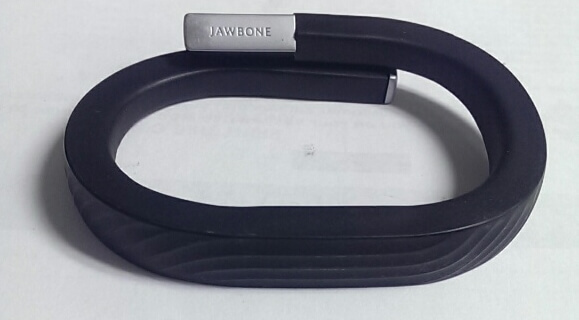
The Up 24 is pretty awesome to me, I have to admit. It does a lot of things right, and misses only a few things (though some of them are things that only I care about). I’ll start off with some basic stuff.
It’s pretty rugged. The unit itself is textured (you can see it in the picture above). The texturing works pretty well for it’s intended purposes (at least as I believe them to be): scuffs don’t show up on it, and the surface is pretty resilient. It’s got a satisfying springy-ness to itself which means it can clamp around your wrist pretty securely. I’ve never worried about the unit falling off me during the day nor at night. That’s saying a lot as I am a pretty restless sleeper usually (tossing and turning, etc). My only complain would be the silver end cap, which gets marred up pretty easily just in day to day use. They do sell replacement end caps on Amazon, but they aren’t cheap ($8-$12 for a small bit of plastic is kind of absurd to me). However, the cap is pretty important – it protects the charging port. Ruin the charging port and you’re done. It admittedly leaves me a little wanting. For how expensive the Up 24 is I kind of expect slightly better engineering than a simple click-lock cover. It’s a small gripe, but a gripe nonetheless.
Let’s get on to the important stuff, the tracking.
The Up 24 tracks 3 things primarily: activity , eating, and sleeping patterns. All of this is accomplished through the app on your smart phone. It connects to it via Bluetooth, but the phone must support Bluetooth 4.0 or better. If it doesn’t, then don’t bother. As far as I know, there is no way to sync the Up 24 via a cable connection unlike previous models. Admittedly, I didn’t look too much into this feature because it’s just not important to me – all the devices I own currently support Bluetooth 4.0.
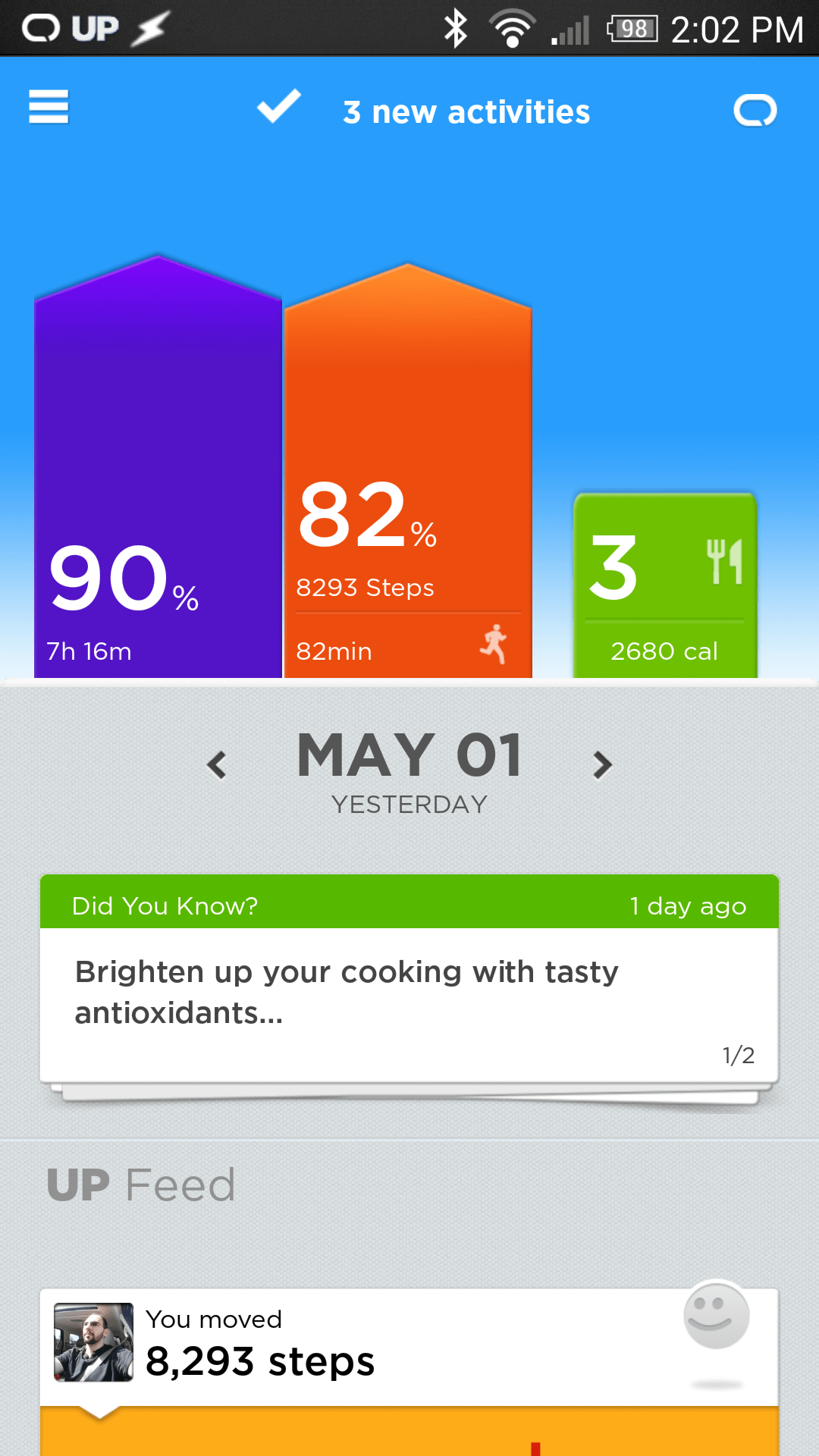
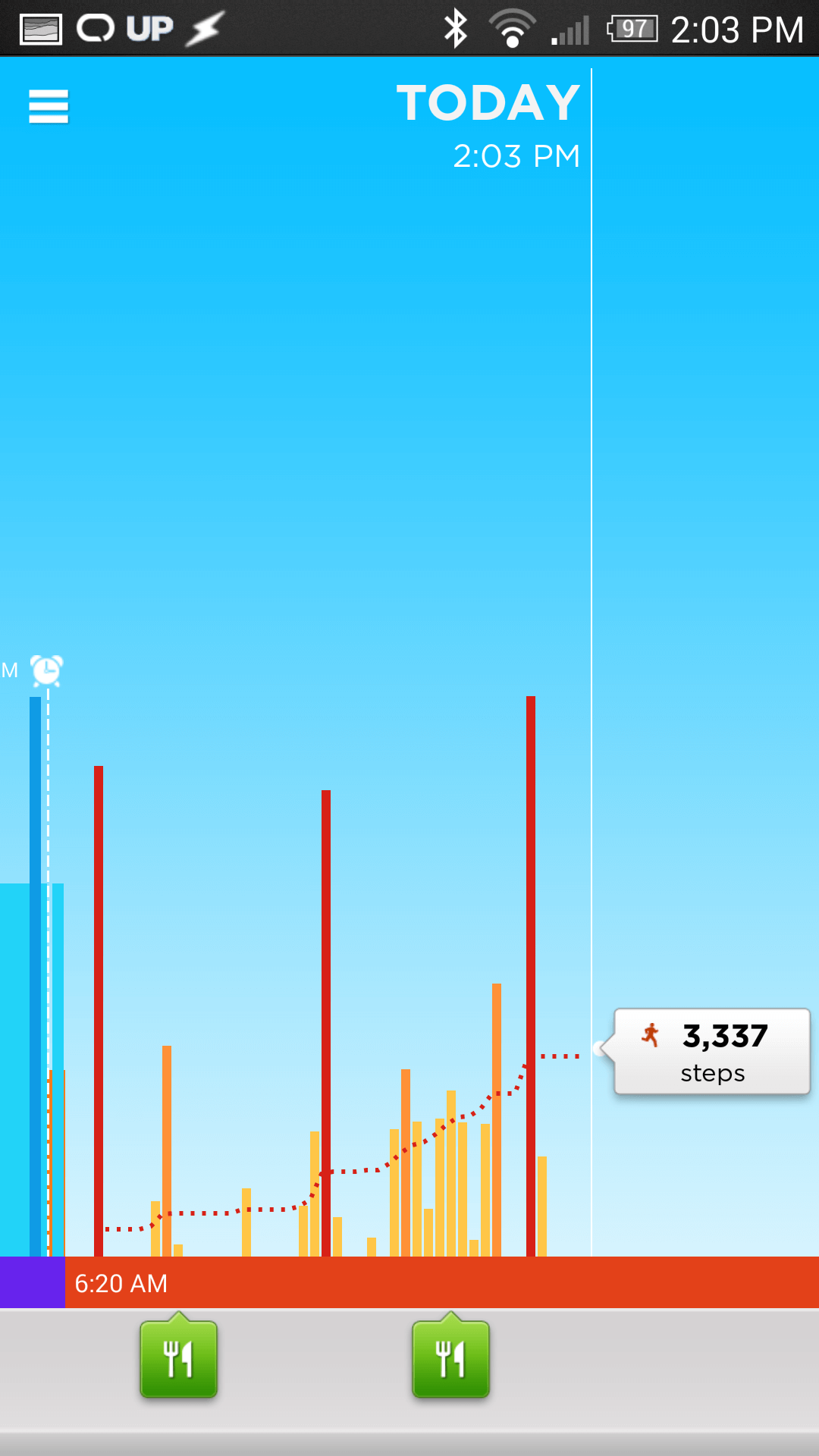
Activity is tracked via ‘steps’ which you can calibrate by timing a jog and then telling the Up app how many miles you went. It’s quite handy, as the default calibration was off for me by about .25 miles over a 2.5 mile span. 10% doesn’t seem like much, but I like to keep things accurate. It has a stopwatch feature to time your exercising and indicates on the graph with a little icon. A very nifty feature is the Reminders. You can set idle reminders for every so often. For example, if you’re working at your desk all day long, it can vibrate every half hour (customizable, of course) to remind you to get up and do a little lap around the office. Every step counts to the Up 24, and it wants you to live healthier. Even a 5 minute stretch and walk can make the difference between a healthy life and an unhealthy life. The whole point of the Up 24 is to get healthier.

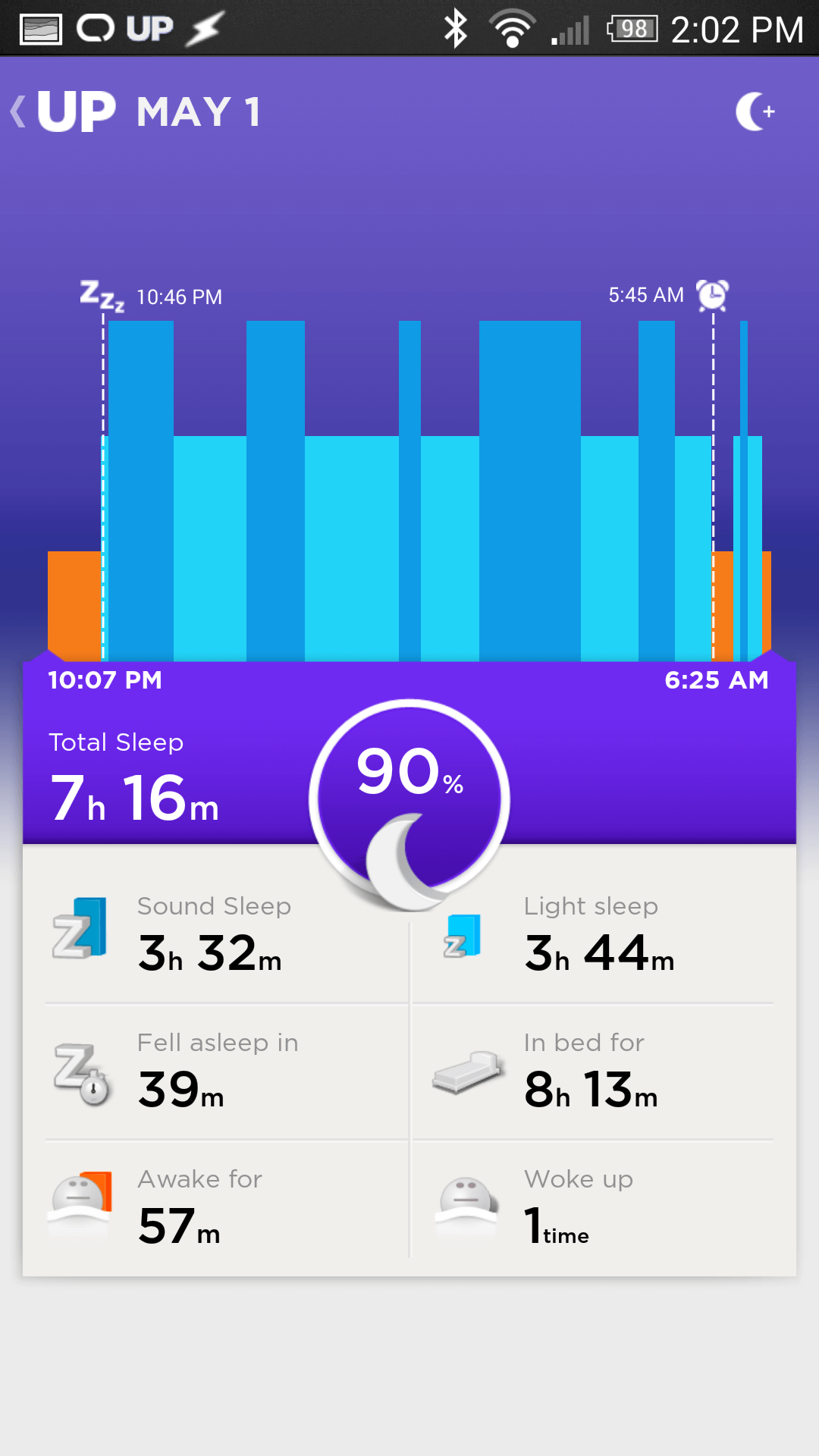
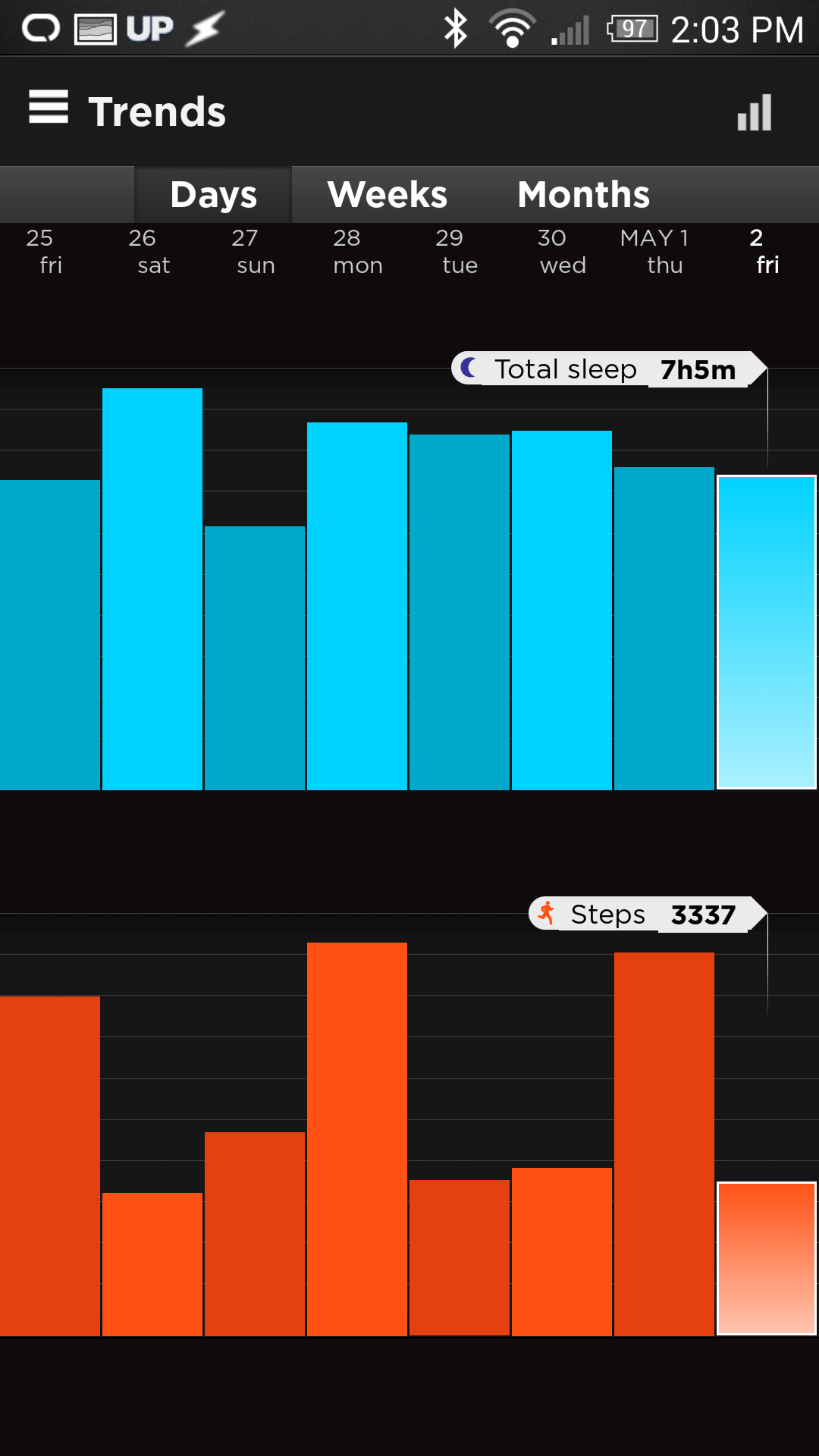
Sleeping is tracked via your movement at night as well. If you toss and turn a lot through the night, it will be indicated on the sleep tracker. The sleep tracker tracks light sleep, heavy sleep, and awake time. It’s pretty spot on for me – there are times when I wake up in the middle of the night and roll around for a while to get comfortable. It has tracked the entire thing. One of my favorite features about the sleep tracker is the Alarm. The alarm works by looking at when you want to wake up and going off when you’re in a light sleep pattern. That is to say, if I set my alarm for 6:00am, the band will go off anywhere from 5:30am-6:00am (with a customizable range) during a light sleep cycle (leaving you feeling more refreshed usually). It wakes you up in a very subtle fashion: it vibrates. It vibrates until you press the little button on the top of the unit. It’s quite pleasant actually, and I find myself waking up feeling much more energetic. This is quite possibly my favorite feature of the Up 24.
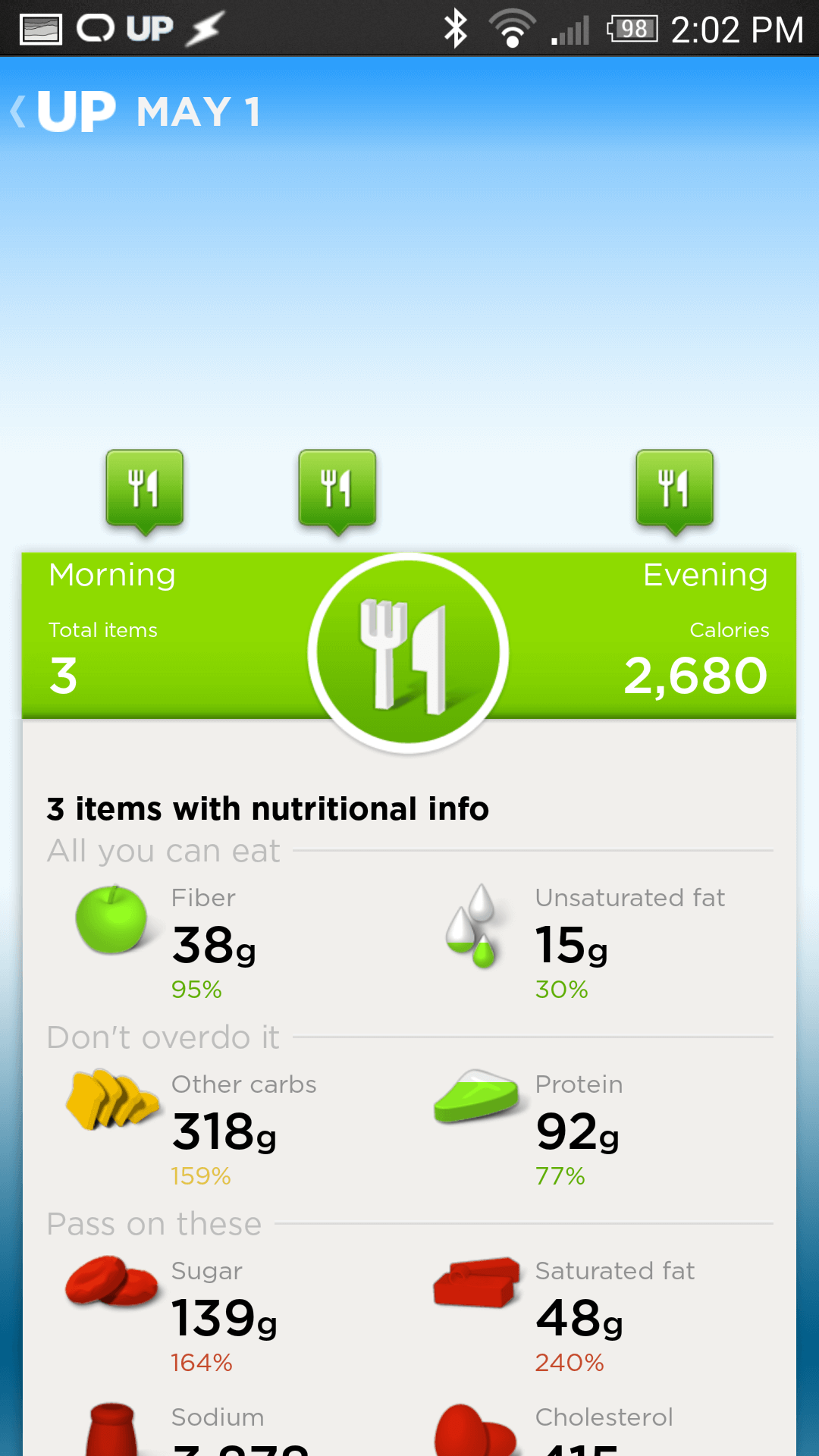
I haven’t really futzed too much with the food tracking capabilities of the Up 24 because it already works with MyFitnessPal. It imports your meals from there and keeps them all recorded for you. The Up app is basically your one stop shopping for maintaining a healthy lifestyle. It keeps track of healthy and unhealthy eating habits alike. One of my favorite features is that the Up app will send data back to MyFitnessPal. Let’s say you’ve had a particularly busy day, burned a LOT of calories. Those extra calories that Up knows you’ve earned will show up in your MyFitnessPal app as Up calories. It’s awesome.
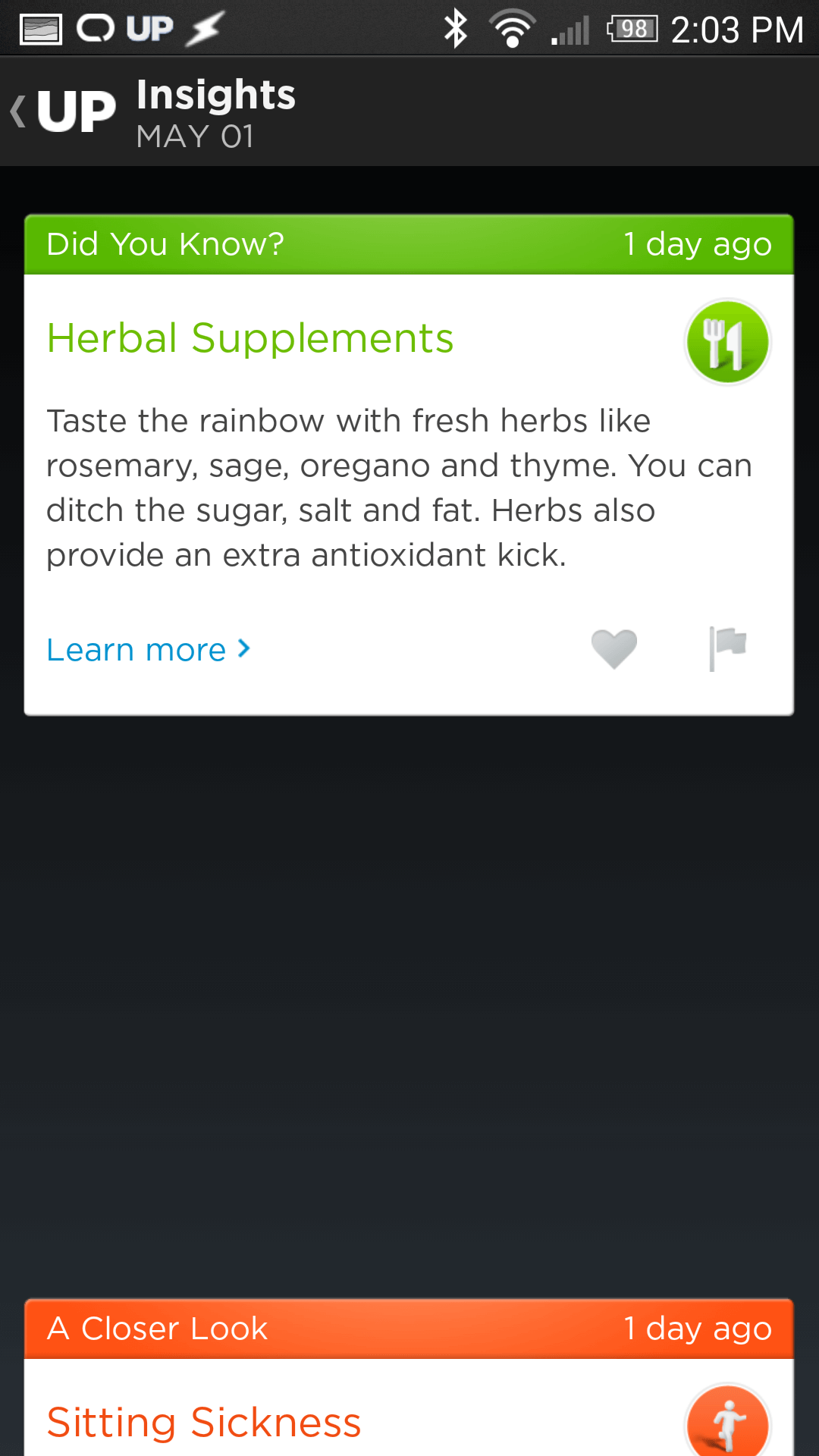
So by now you’re probably thinking, ok, great, why do I need the Up 24 and the app in order to be healthy? All it seems to do is centralize a bunch of information. This is true, it does make monitoring this information very easy. Beyond that though, after a while it starts making recommendations. It reminds you to go to sleep at a proper time to ensure you get a full night of rest. Did you know that getting the optimal 8 hours of sleep can help you lose stubborn belly fat by decreasing your stress and leading to better health? I didn’t. Up told me. It tells me lots of things. It encourages me! It tells me that I’m being active and doing better than the majority of people or where I stand, and how to improve. Hey, we noticed you didn’t move a lot last week, maybe you could try for 250 more steps a day and build up from there! It challenges you. It’s a great app and the unit itself is a great addition.
Beyond this, it also visualizes your health. It makes charts and graphs for you so you can see your trends throughout the days and weeks. This is great for a person like me who loves data.
Controlling the unit is a breeze too. You can do a lot of things through the app, but the Up 24 isn’t content with that. It has a button built into it which you can use to control the key features of sleep, workout, and nap. Sleep mode is enabled or disabled by pressing and holding the band button until you see the moon icon flash and the band vibrates. Stop watch mode is enabled by pressing the button once, then quickly pressing and holding it a second time, again until the moon icon flashes and the band vibrates. The nap is, yup, you guessed it, press the button twice, then quickly pressing and holding it a third time. Simple, and straightforward.
Now, on to my one real complaint about this device: where’s the heart rate monitor? A heart rate monitor would have been an awesome end-all-be-all for this device. The ability to monitor your own heart rate during a workout or throughout the day is a great way to keep your heart going properly. It’s a sorely missed feature and I’m kind of disappointed it wasn’t present in this device. This is really my only major gripe.
To that end: if you’re interested in upping your health and promoting a healthy life style I heartily recommend the Jawbone Up 24. It’s a great little device. It’s not cheap, but you’re worth it.
-M, out.
FCC proposal would destroy net neutrality | The Verge.
FCC Proposal Tucks head Up Butt and Kisses Your Net Neutrality Goodbye | GottaBe Mobile
This is going to become a once a month type of thing isn’t it? Yeah it is. Ok then.
Coming to us from the “we-think-you-owe-us-more-money-and-we’ll-get-it-no-matter-what” department, we see once more a blatant money grab from Internet Service Providers and their Congressional/Senatorial Pawns.
These new ‘net neutrality’ rules are basically the exact opposite of what real ‘net neutrality’ is.
The FCC has of course issued a statement saying that our interpretation of their potential ruling is, of course, false. Seeing as how the current Chairman of the FCC, Tom Wheeler, is a venture capitalist and lobbyist for the cable and wireless industry (including NCTA and CTIA work) I am understandably less than willing to believe that this is the truth.
When the proposed rules (as quoted by the Wall Street Journal) indicate that “The proposed rules would prevent the service providers from blocking or discriminating against specific websites, but would allow broadband providers to give some traffic preferential treatment, so long as such arrangements are available on “commercially reasonable” terms for all interested content companies. Whether the terms are commercially reasonable would be decided by the FCC on a case-by-case basis.” we know we are in trouble.
The rules are released tomorrow.
I wait with baited breath.
Hacker successfully uses Heartbleed to retrieve private security keys | The Verge.
—
Just update your goddamn security certificates already! Just do it! It’s not difficult! If your provider hesitates to cooperate then LEAVE and find someone who has the security of the internet in mind.