So…. I missed a blog post for the week of 1/24 – 1/30 (hey, it was my birthday, give me a break) and for the week of 1/31 to 2/6 (because I actually just forgot) so I’m going to try and do 3 posts in a week this week (or two posts a week for the next two weeks).

This first post is gonna be a filler post, just because I honestly can’t think of anything to truly talk about, so I’m gonna talk about some generic things.

Continue reading

We primarily selected SolarWinds Web Help Desk because of the rich feature set and low price point. When we were doing comparisons of the different suites available, we wanted to find an easy to deploy, feature rich, and inexpensive solution. Web Help Desk met all these criteria. Talking with their sales and support staff prior to the purchase helped us seal the deal. We did a 30 day trial in-house and found that it had every feature we wanted (including the import email system to enter comments on tickets). Additionally we found a large forum with lots of users who have been posting tweaks and configuration guides to get the most performance out of the system. Overall, it was just the best choice for us.

Source: SolarWinds Web Help Desk Review: Web Help Desk Will Help Your I.T. Staff Be The Most Popular People In Your Organization

This is more for my sake than for yours, but I am posting it here because it’s been a while since I’ve said anything.

Games To Be Reviewed!

Middle Earth: Shadow of Mordor (XBox One)
Call of Duty: Advanced Warfare (XBox One)
Borderlands: The Pre Sequel (PC)

So far I’ve only played Borderlands, but Middle Earth and the new CoD sit on my table waiting to be played.

That combined with Dragon Age: Inquisition, Halo 5, and the Halo Master Chief Collection (both XBox One titles) means November is going to be a VERY busy month.

Looking forward to it.

Also, I’ll be doing a “state of the gaming nation” post later, where I talk about what’s been going on in the gaming world lately.

Looking forward to that a lot.

Game on folks.

Game on.

A new month, a new OpenSSL Vulnerability.  I miss the days of just using the internet, not hosting things on the internet.

Ugh.

You can test your websites here: Dashlane OpenSSL CCS Injection test.

You can read about the vulnerability a lot of places:

For those on older versions of Ubuntu Server, like I was, you can follow this guide to get yourself to a version of Ubuntu that can install the latest OpenSSL Libraries: here.

What a morning.

Hey Web Developers.

I know we’re all about engaging our web site visitors and getting them to like, tweet, or otherwise drive traffic to your webpage, but can we talk a bit?

If you’re using the standard like button for your page, just check to see what your page looks like from a place that blocks social media like Facebook.

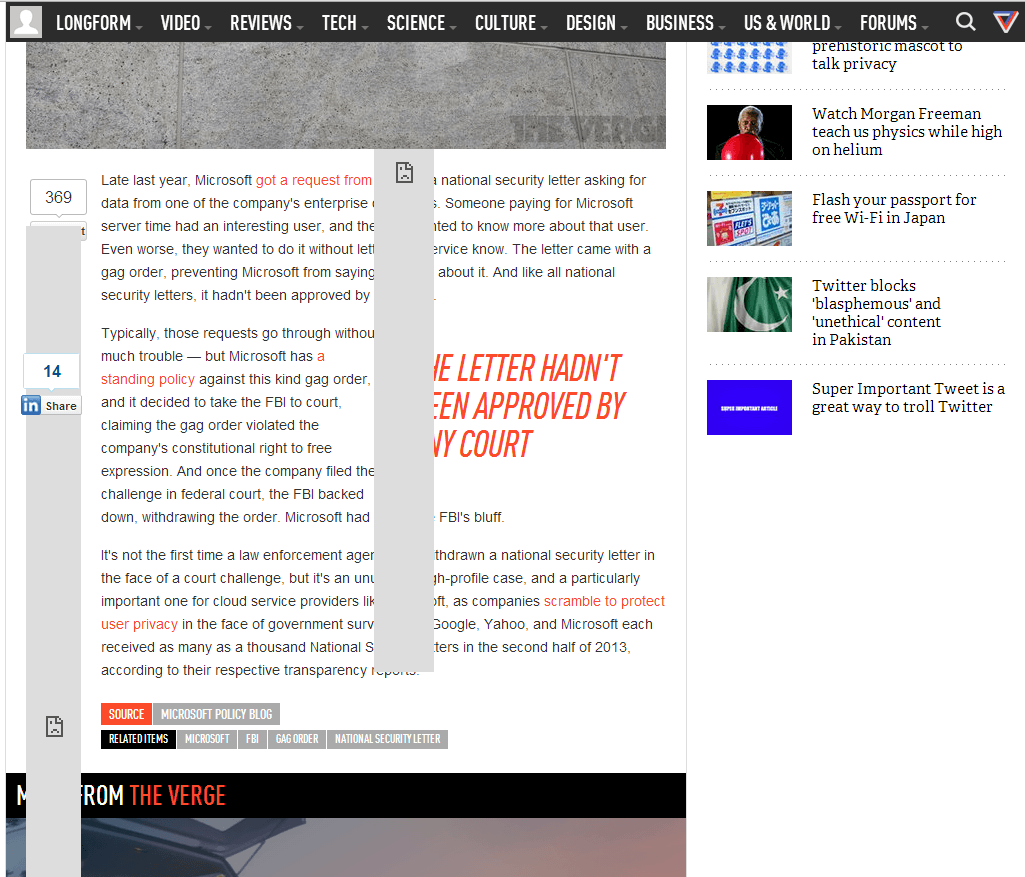
Here’s what i see whenever I try and read an article on TheVerge.

SS

Notice: the huge grey bars covering the content? Those are poorly designed/implemented Facebook like/share buttons. They cover the meat and potatoes of the website: the actual content.  It drives users crazy.  More importantly, it drives people away from your site.  Just because someone is at work doesn’t mean they shouldn’t be able to view your site and read the content.

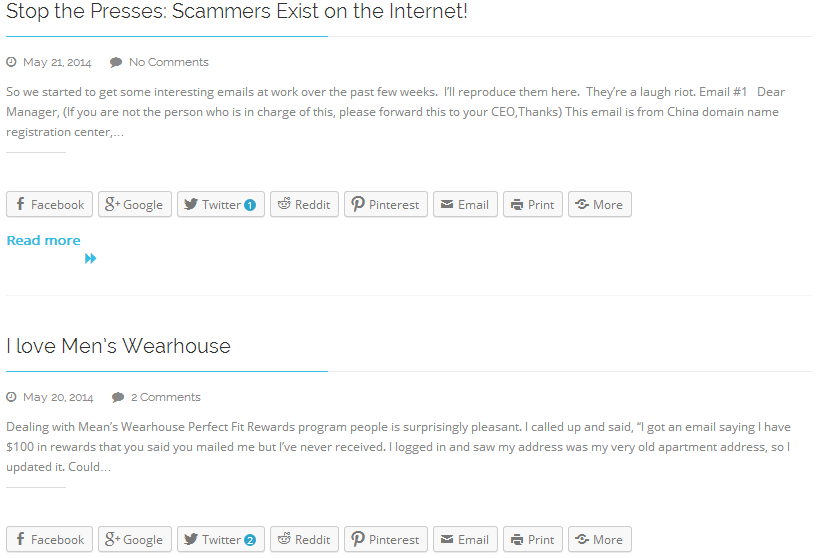
Here’s what a normal implementation should look like:
SS2

Notice the difference?  The Like button is there, visible.  It doesn’t cover the content of the page.  It doesn’t flow beyond the size of the actual button.  Clicking it would result in a block page, as expected, because Facebook is blocked.  It doesn’t affect the readability or usability of the page though.  This is IMPORTANT.

The easiest way to fix this is to host the Like/Share button icon on your own web server. This way your users don’t need to install something like Facebook Blocker ( http://webgraph.com/resources/facebookblocker/ ) just to read an article.

Thanks!

Hello everyone!  I mentioned yesterday how I was going to build a guide to show you how to start mining and saving up Dogecoin, and I apologize for not posting it yesterday.  It was a longgggg day at work and after my workout at home I was thoroughly wiped.  So after sitting and thinking on the idea, I decided to split it up into multiple posts across multiple days.  Today I will bring you step 1: Getting A Wallet!  To the moon!

dogecoin


Without further delay, here’s what you need to do:

  1. Navigate to Dogecoin‘s website in a web browser.
  2. Click on the brand of OS you are using in the “Start Using Dogecoin Today:” section.  This will download the wallet installer application which will generate the necessary private and public keys (more on this later).
  3. Wait for the download to finish, then launch the installer.  During the installation you can select all the defaults, it’s fine.
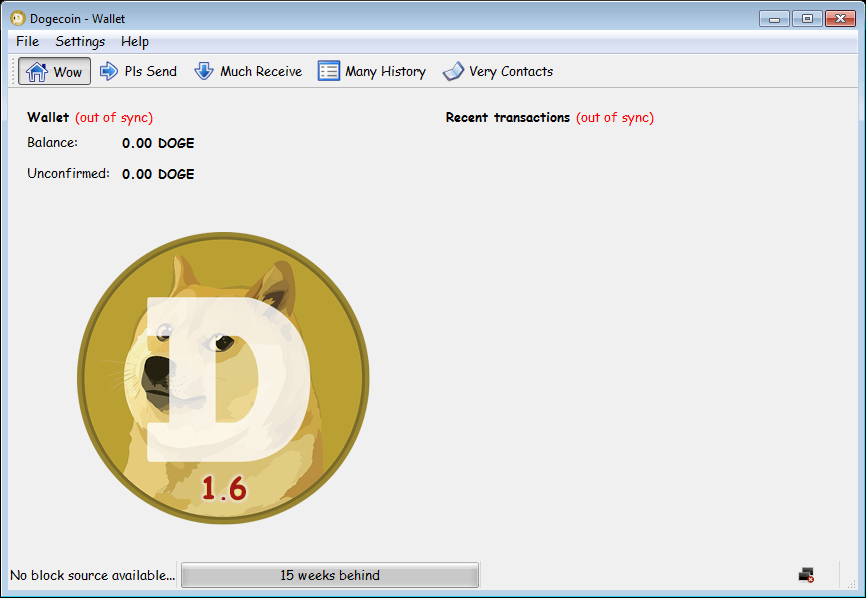
  4. Run the Dogecoin application.  It will look like this, or similar (the number may be different as it’s the version number): Wallet start
  5. Now wait, the wallet application has to catch up in the block chain.  The way crypto/digital currency works is that all machines have records of all transactions that have occurred.  In this picture you can see we are MANY weeks behind.  Just let it sit there until you have a green check mark in the bottom right.
  6. Once the wallet is all caught up, there are two mandatory steps (not really mandatory, but HIGHLY RECOMMENDED!):
    1. Click Settings, then click Encrypt Wallet.  Enter a pass phrase at least 20 characters long.  DO NOT LOSE THIS PASS PHRASE.  IF YOU LOSE IT, YOU LOSE CONTROL OF YOUR WALLET AND WON’T BE ABLE TO SEND COINS ANYWHERE!
    2. Click File, then click Backup Wallet.  Save the wallet data .dat file somewhere secure.  If you ever have to rebuild your machine you MUST HAVE the wallet data .dat file or you will lose all your coins to the great bit graveyard.  Many sad.
  7. Now you need to make an address so that people can send coins to you.  Click the “Much Receive” tab and then click “New Address”. Enter a name for the address in the Label field, and click OK.  You should have to enter your pass phrase to continue. Hint: If you post your wallet address here, I will send you a few coins to get you started and verify that you’re all setup. 🙂
  8. Congratulations, you now have a wallet, albeit an empty wallet.

Stay tuned, sometime over the next few days I will make a post about how to start mining the simple way: CPU mining in a pool.  Follow up will be accelerated GPU mining in a pool.

I heavily recommend you mine in a pool.  Solo mining is not really worth it, unless you have a LOT of hardware on hand.  The pool I use is Coinium, and it’s a great little place with fairly regular block discoveries and good pay.

Good luck, newbie Shibe!