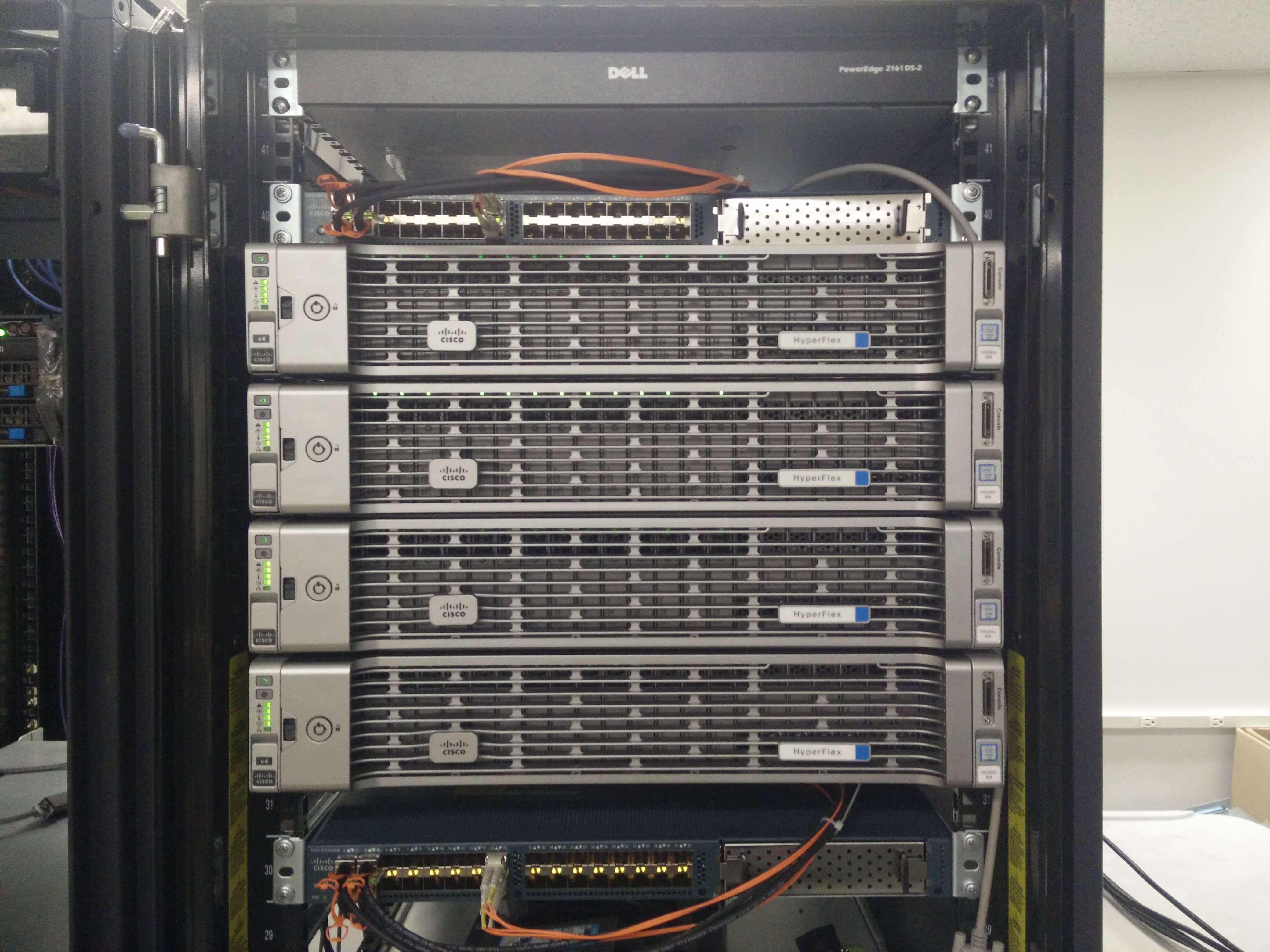
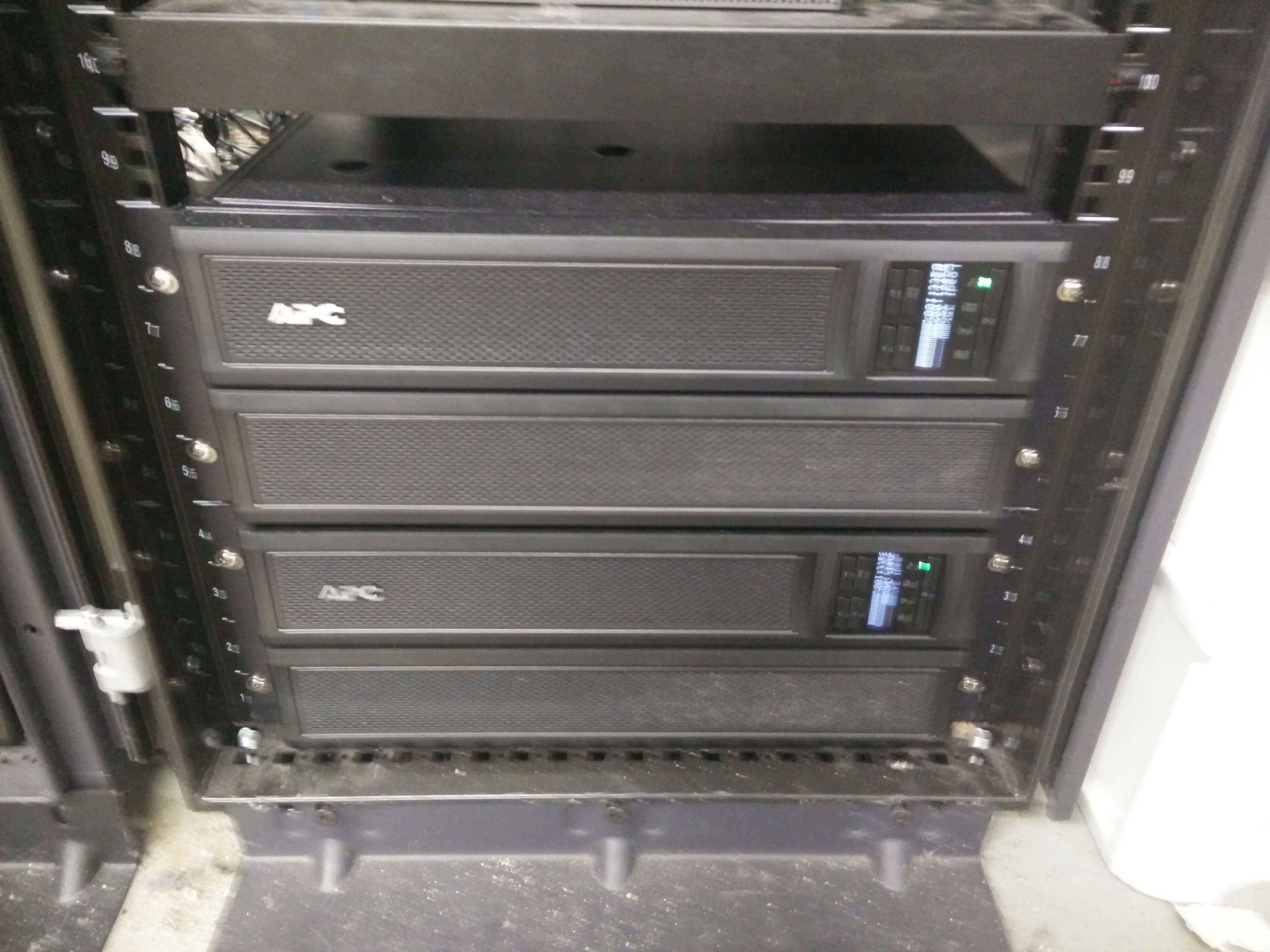
We just received new UPS units (Battery Backups) for our office since we got new ESXi infrastructure (Cisco Hyperflex, which is baller frankly) and the power requirements changed as a result of that new infrastructure. Plus, the old batteries were starting to die in mass quantities (after not being replaced for 3+ years…) which was leading to headaches up to and including loss of power in the datacenter. Not cool.

Cisco Hyperflex

Cisco Hyperflex

APC SmartUPS X 3000

APC SmartUPS X 3000

These new SmartUPS X 3000 are VERY cool though.


We just finished configuring the management interfaces for them, and that got me to thinking: running ping checks on these is all well and good but what kind of data can we pull from them via SNMP.  If it’s on the network I can grab data from it, that’s my story and I’m sticking to it.

Thankfully the management cards support SNMP v1 through v3, and the configuration of it is easy enough.  That’s an exercise for the reader, if you can’t figure out the 3 clicks it takes then the rest of this will probably be way over your head.

So I set out to write my first set of truly self-written monitoring templates.  It was surprisingly easy once I started to read the documentation for Zabbix 3.0.

It’s got three “Applications” with different items, about 15 total:

  • UPS Connectivity
    • Ping
    • Packet Loss
    • Response Time
  • UPS Information
    • Battery Installation Date
    • Firmware Revision
    • Serial Number
    • System Model
  • UPS Status
    • Battery Remaining Capacity (in %, the charge left on the battery)
    • Battery Run Time Remaining (in minutes, the time until bad things happen)
    • Battery Supplying Voltage (in V, the voltage the battery is supplying to the battery backup system)
    • Battery Temperature (in C, the temperature of the battery)
    • Input Frequency (in Hz, to check the quality of the power)
    • Input Voltage (in V, to check the quality of inbound power)
    • Output Frequency (in Hz, to check how the UPS regulators are working)
    • Output Voltage (in V, to check how the UPS regulators are working)

It has a bunch of triggers too.

  • Battery Remaining Capacity 1% (Disaster Alert)
  • Battery Remaining Capacity 10% (High Alert)
  • Battery Remaining Capacity 25% (Average Alert)
  • Battery Temperature Excessive >36C (High Alert)
  • Battery Temperature High >30C, <36C (Average Alert)
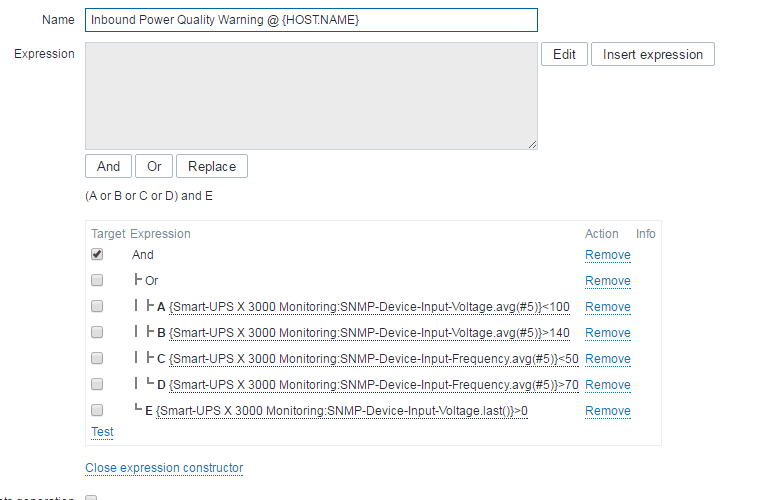
  • Inbound Power Quality Warning (+/-20 V over spec, +/-10Hz over spec, while power still being providing (>0 V input))
  • Inbound Power Failure (0V being supplied)
  • Outbound Power Quality Warning (+/-20 V over spec, +/-10Hz over spec, while power still being providing (>0 V output))
  • Packet Loss
  • Response Time
  • Network Unavailable

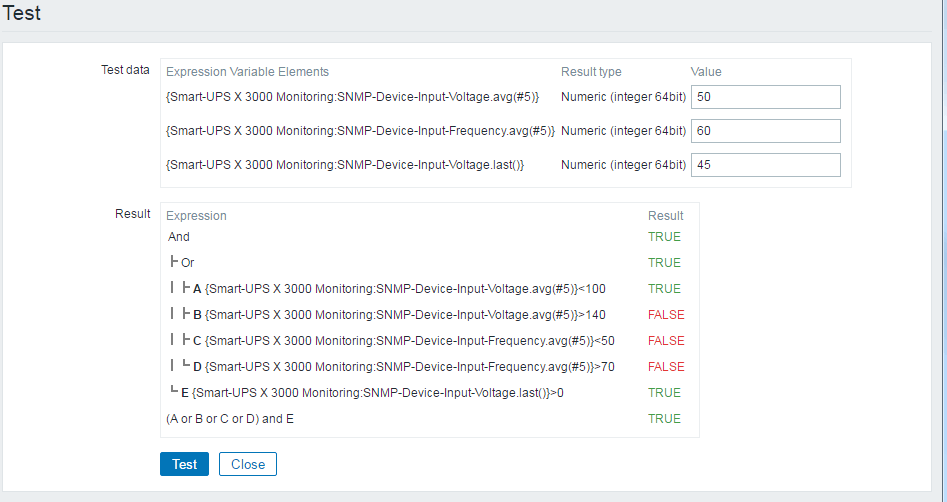
All the triggers depend on the network being available, so the dependency is set there.  Additionally, Inbound Power Quality Warning depends on Inbound Power Failure.  I do not like duplicate alerts.  These were fairly interesting to write up and the expression constructor was VERY helpful, as was the expression tester.

Expression Constructor

Expression Constructor

Expression Tester

Expression Tester

Here is the Zabbix template, in case you’d like to use it. 🙂

smart-ups-x3000-monitoring

Here’s a screenshot of the monitoring so far:

UPS Monitoring Latest Data

UPS Monitoring Latest Data

Cheers, and may your Zabbix instance alerts be few!

-M, out

Back to our regularly scheduled programming.  I’ve written a lot of not-quite-technical posts in the past few weeks.  I know I did this week (because the gas tax has me furious).  All that being said, I decided to make a right-proper one this time because I’ve been toying around with this project at work and information is pretty slim because it’s out of date.  We needed a web server.  A small web server.  Apache, PHP, MySQL.  PhpMyAdmin to make part of the project super easy.

Well, the tiny part was easy.  Damn Small Linux.  Base install less than half a gig.

Adding Apache, PHP, MySQL, and PhpMyAdmin: not so much.  All the instructions were hand-wavy and the newest installer scripts don’t work on the size of disk I wanted.

So I present to you: Linux, Apache, PHP, MySQL, PhpMyAdmin: <768MB total install size.Continue reading

I was having difficulty coming up with something to write this week. In fairness, I’ve been distracted by car woes (and work woes, and woes in general) and my time has been largely occupied. I was submitting another request to MakerBot for an update to a subject when a topic came to me: Help-Desk Auto-Reply Messages.

I’ve been entering tickets with SolarWinds (for Web Help Desk) and Makerbot (for a Replicator 5th Gen) for over a week to get a few issues resolved.  My frustration initially came from SolarWinds.  I entered the support ticket and immediately got a receipt of the ticket in my inbox.  In fairness, I did indicate that the ticket wasn’t a high-priority, nor a rush.  That being said, I don’t think it’s unreasonable to expect a non-automated answer within a business day.  I entered the ticket on Sept 23 @ 12:11pm.  The ticket stated:

Hello,

We deployed the Solarwinds Linux OVA file to our ESXi infrastructure several years ago. It is running VM Version 7. We recently upgraded to a new ESXi infrastructure. In order to do Snapshots we need to upgrade to VM Version 11.

Is there any problem with upgrading to VM Version 11?

Please let us know. There is no rush.

On Sept 27th at 1:40pm I entered a comment on the ticket asking for an update as to whether or not they were even looking into it.  At this point, I had not received any email other than the automated email.

Finally, on Sept 28th at 8:01pm I received a reply from a tech answering the question for me (hint: it’s ok and I don’t need to be so paranoid about it).

All that being said the time from ticket entry to first response was low if you count the initial “We got your ticket” email that is now automated by 90% of ticketing systems.  The time from ticket entry to first helpful response was absurdly high (over 3 business days).  Again, granted, I said no rush, but some non-automated contact over 5 days (3 business days) is absurd.  Even a simple “I’m looking into this for you” would have kept me appeased.  An automated response: not so much.

Let’s try and keep this in mind when we work on ticketing solutions.  An automated email does not (or should not) count as customer contact.  If you’re including it in your metrics (which some places do, oddly enough) then you’re probably using poor metrics.

I don’t like metrics to begin with, but if you’re going to use them (and I know you will) then some useful ones are:

  • Time from ticket entry to time of first human-contact.
  • Time from ticket entry to time of first feedback (request for more information, request to try steps for a solution) which may be the same as above.
  • Time from ticket entry to time of resolution.
  • Active time spent on the ticket (if you can measure it).
  • Customer feedback on support job.

These seem like the most valuable metrics to me, especially #2, #3, and #5.

For example on a scale of 1-5 (1 being worst, 5 being best) when dealing with Solarwinds:

#1, 2: 1 [Took way too long to hear anything from a human]
#3: 2 [Resolution was achieved quickly and easily]
#4: 5 [Time spent to fix it was minimal]
#5: 3 [Pretty much average considering]

That’s pretty dismal numbers in my book.

MakerBot had different issues. I’ve had two different tickets with them.

The first ticket was to register new warranty to the 3 MakerBot devices.

On the same 1-5 scale for this ticket:

#1, #2: 1 [I heard from them within the day with what they needed from me to get the steps done]
#3: 5 [The full resolution took over 2 weeks due to delays in registering the warranties]
#4: 5 [A lot of waiting time and the system kept trying to auto-close the tickets]
#5: 4 [Dismal]

The second ticket was to get actual support for one of the 3 MakerBot devices.

#1, #2: 1 [I heard from them within the day, they gave me diagnostic steps and information to check]
#3: 2 [Within 2 days the diagnosis was confirmed and parts were shipped]
#4: 2 [2 days is not as great as 1, but well within the overall time frame]
#5: 2 [Good job overall!]

Of course, just my 2 cents.

-M, out

Fire Alarm and Security Alarm panels are great devices.  Their central brain system allows a bunch of independent systems (smoke detectors, CO2 detectors, heat detectors, gas detectors, door open detectors, etc) to all report back to a central location and then have the central location call out to the Police or Fire Department and relay exactly what is wrong at exactly what part of the building.

In theory this is great.

The only problem is: how do these devices communicate with the outside world (the inside world being your building, the outside world being everyone else).  The answer for us is: a phone line.

Continue reading

It works! It really works!  I’ve finally implemented something that works!

A few weeks ago I wrote up a post about my experiments with Domains and homelab and WDS.  I’m pleased to report today that it worked!  It worked perfectly.

My poor desktop chokes when running the three VMs (DC, WDSS, and Deployed Desktop) but it works (though this may be changing since Nick and I decided to invest in a Homelab setup for the apartment; a Dell R710 with 2 Xeon E5645 Processors, 72GB RAM, and 4TB storage).  The Deployed Desktop boots off PXE from WDSS via DHCP from the DC, and boom.  Boots into WDS and receives and image.  No interaction required (unless I require it).  A lot of this is going to be a link repository for my own use.

It was super thrilling to get the thing working.  There are a bunch of caveats and I’m going to try and outline them here.

Continue reading

We just received our first Dell Optiplex 5040 Desktop for the summer refresh at the Middle School.  Boy this thing has fought us from the beginning.  It’s been very frustrating.

We encountered a bunch of problems (and solved them all, thankfully):

  1. Windows 7 would not install from USB media.
  2. Windows 7 would not detect any USB drive, but would power and respond to mouse/keyboard on the same ports.
  3. Windows 7 keyboard driver strangeness including not responding to Num/Caps/Scroll Lock keys.
  4. Windows 7 keyboard driver strangeness including keys responding to input but not working properly (typing in a password and finding that you could not login despite KNOWING that the pressed the right keys).
  5. Altiris Deployment Services not collecting the image (Failed claiming “RDeploy: The EFI variable could not be read”).

Our solution to these issues is presented below.

Continue reading

So, we’re getting ready to deploy Windows 10 next year by preparing for it this year.

Well, everything sucks and is miserable while trying to do it with Altiris Deployment Services and Ghost, so I took it upon myself to work on alternatives. WDS here we come.

This is the start of the project, and it starts with testing it in the Homelab. Well, the first part of getting the whole process started is: setting up the Homelab, which I’ve never done before.

Continue reading