Sigh.

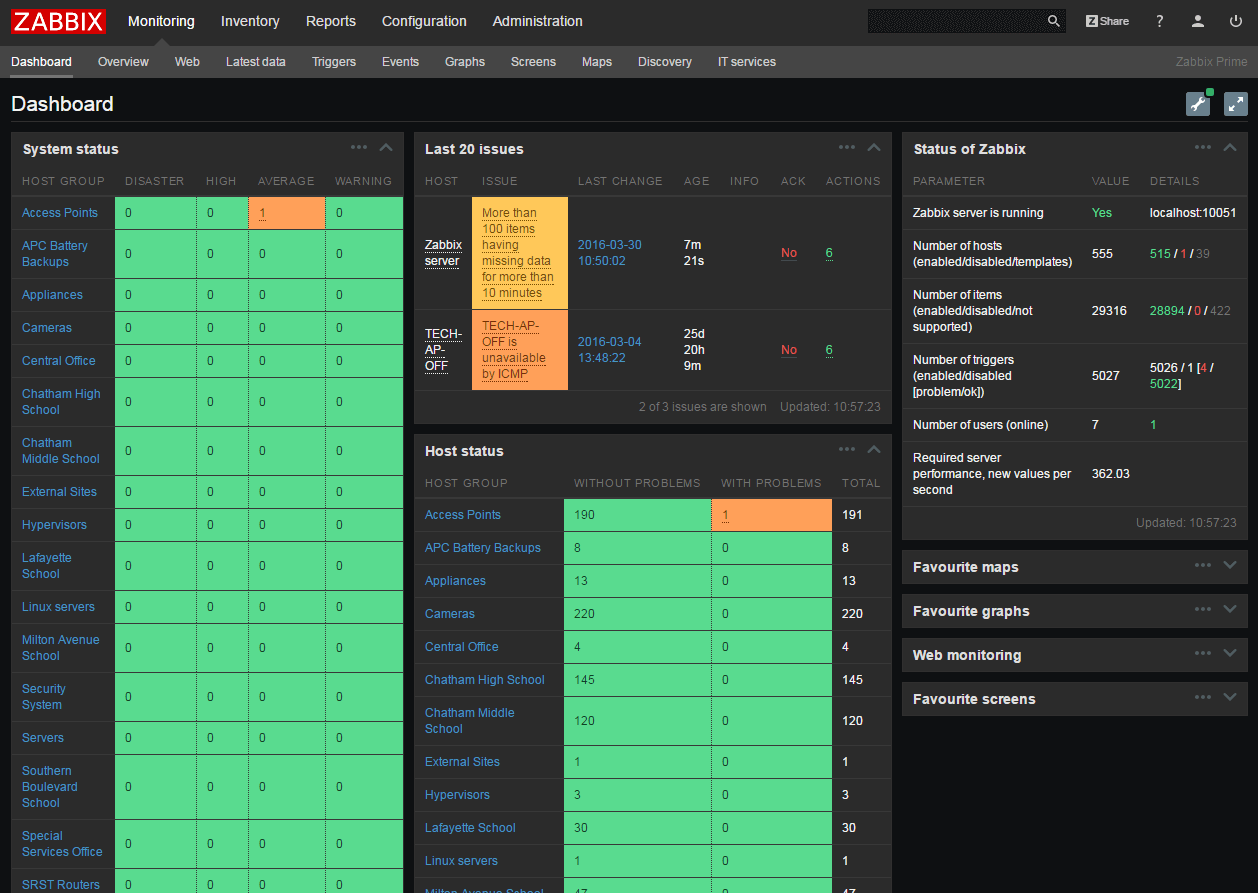
It’s been a week.  I was going to follow-up on a previous post about Zabbix API and getting a working status display going, but either Dell or Pitt-Ohio threw a wrench in the works today.  We’re not sure who mucked it up, but someone mucked it up and we’ve spent the last two days cleaning it up.

Continue reading

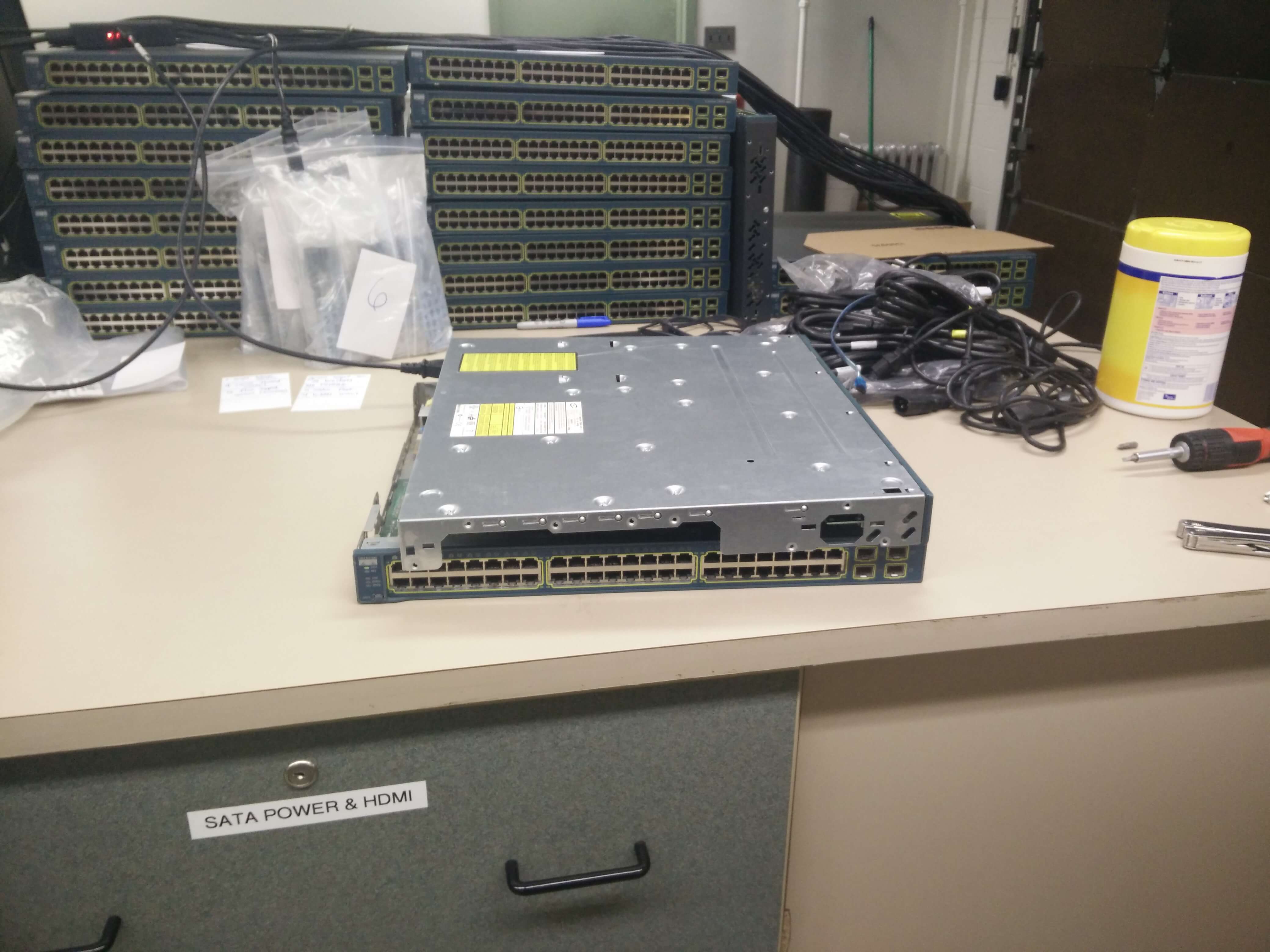
About a week before we were slated to replace a Cisco 3560G switch in the Middle School, we had a catastrophic pipe failure above one of our racks.  The failure was so bad that water flooded the floor above the rack, seeped into the cracks, and eventually found it’s way through a light fixture into the rack.

What followed was incredibly unfortunate and predictable:

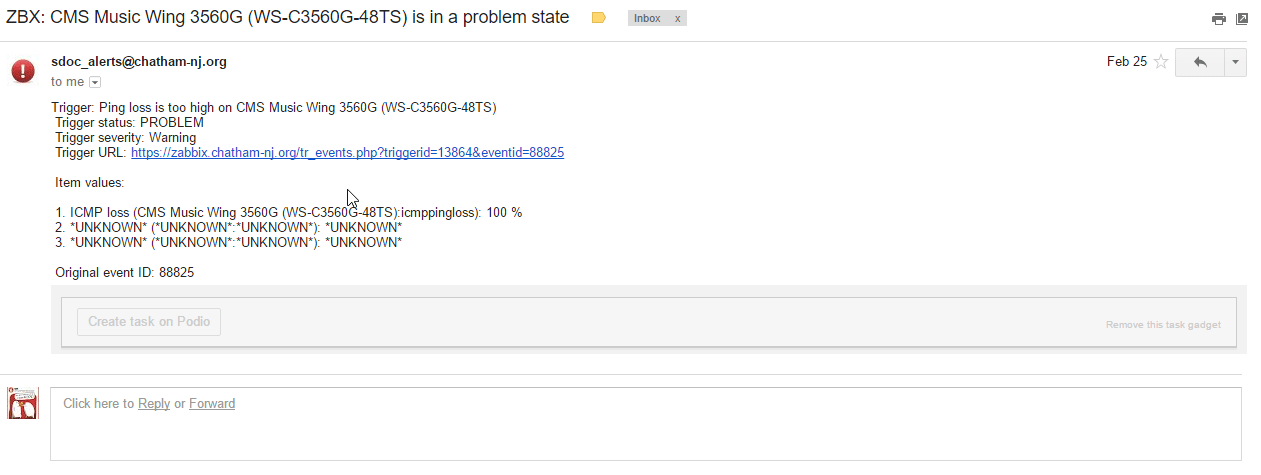
2016-04-28 20_37_52-ZBX_ CMS Music Wing 3560G (WS-C3560G-48TS) is in a problem state - msantangelo@c

Yep.  The switch is down.  Crap. Crappy crap.  Crappity crap.

Continue reading

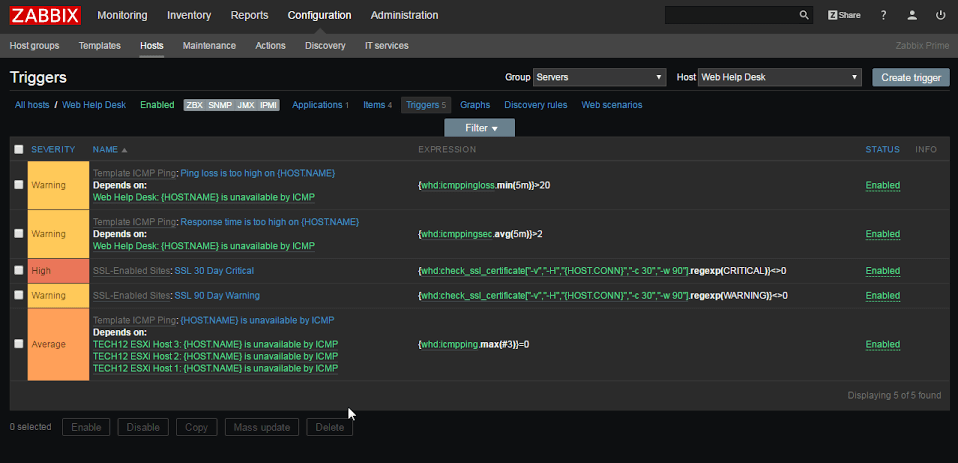
I’ve been talking a lot about Zabbix lately (mostly because it’s a lot of what is on my plate at work)  and I keep finding little gotcha points that I understand but are very frustrating.  Last week (and into this week) I’ve been setting up trigger dependency.  Here’s an example, just as a hypothetical situation.

Continue reading

This guide modified from 2DayGeek’s post available here.  Some of the steps (namely 7) didn’t work, so I wanted to publish my own step-by-step guide because Zabbix’s provided instructions of build from soure and hope for the best were found lacking in my view.

For your information, this guide is written for upgrading Zabbix 2.4.7 to 3.0.1 on an Ubuntu installation.  The steps will be slightly different for different flavors of Linux/Unix and completely different for Windows.  If you’re doing a Windows Zabbix box you should already know how to manage it because .exe is simpler than this.

Continue reading

So for a while at the office we’ve had a VERY annoying problem with some of our higher-end laptops we use for STEM classes. It’s a problem that hasn’t really been reported by the end users, only by us in the Tech Office directly.  We have some Dell Precision M2800s with rather decent specs (which I won’t delve much into right now) except to say they do have marvelous 256GB Solid-State Drives installed in them.

When we first got them, we marveled at the speed of the devices.  They were blazing fast.  Everyone at the office wanted one.  We were strangely confused to some problems deploying a few packages but largely chalked it up to problems with the imaging servers (which were getting a little on the old side).

A few weeks after that we had to re-image the first one and the problems became evident.  Jobs that took ~5 minutes to run on a different model laptop were taking 30 minutes to run on these (beefier) laptops.  We were at a loss.

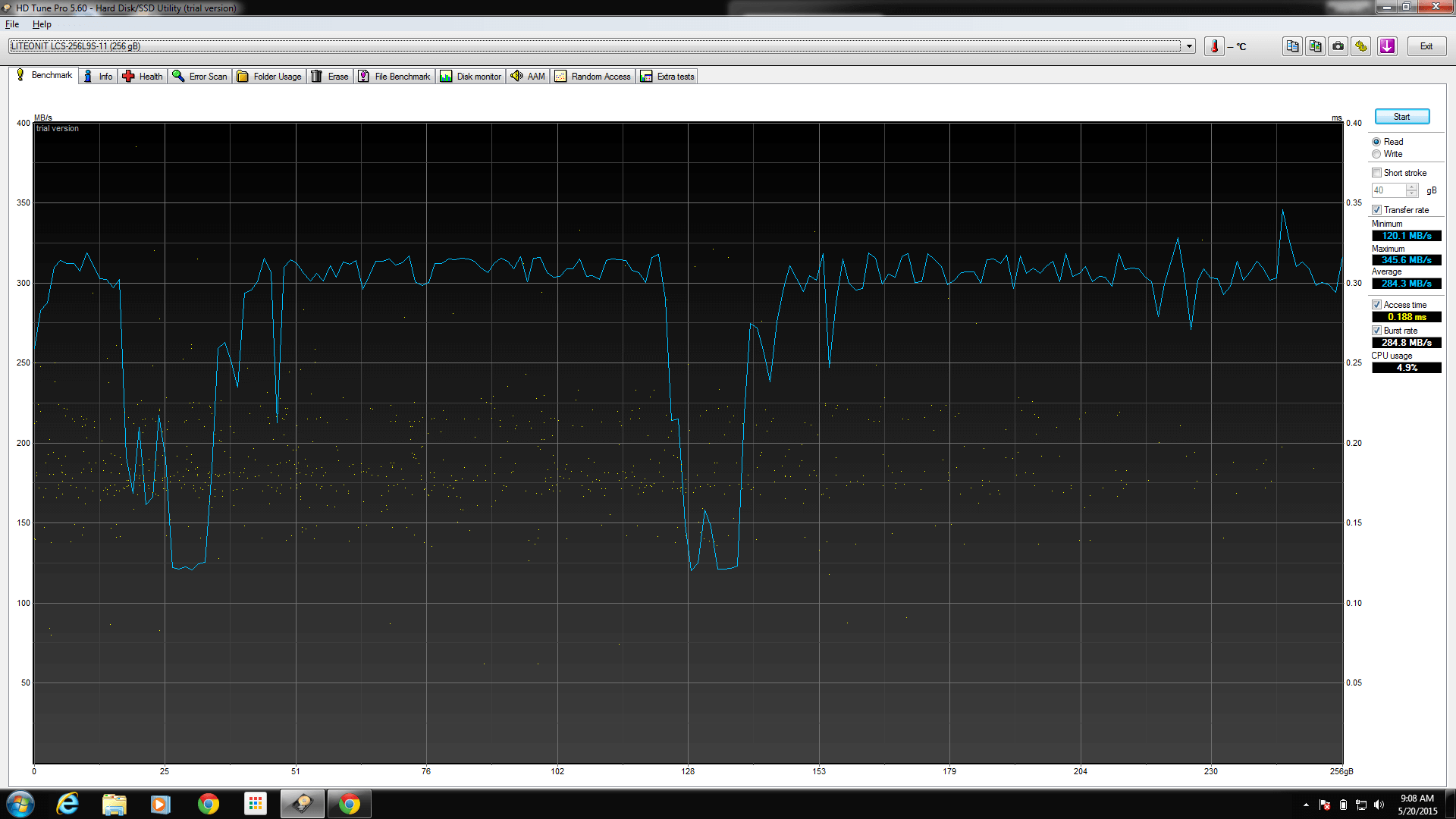
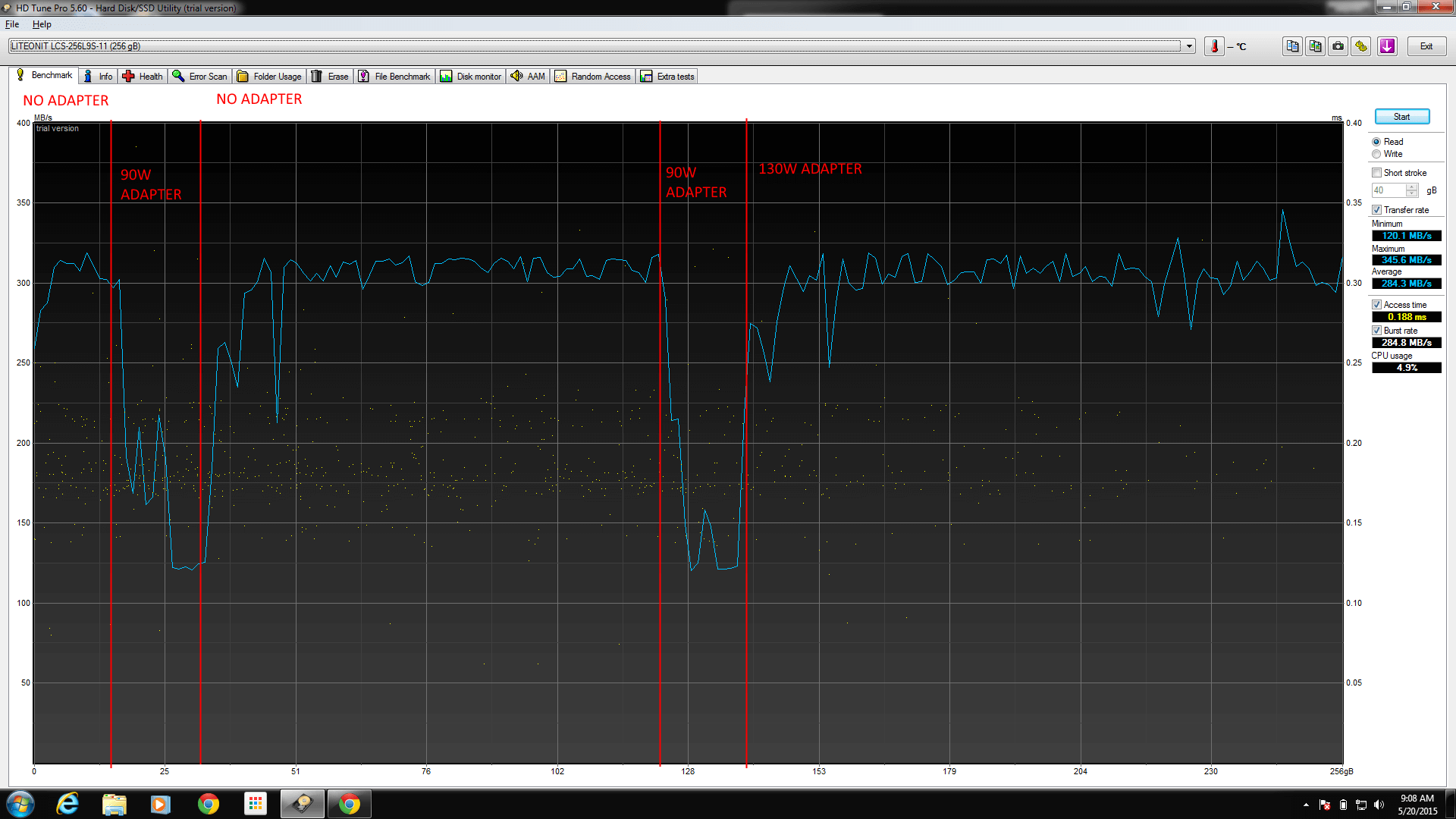
That being said, we largely pushed the problem aside (because there are bigger fish to fry on any given day!).  Today we had some time to delve into it, and we figured it out real quick all things considered.  I’ll let you see the picture which is probably enough proof.

image

Figured it out yet?  Hint: power!  Still nothing?  Ok.

DriveDiagnostics

That’s right.

Using any AC adapter below 130W on the M2800 will result in the machine yelling at you during power up, for good reason.  It’s not powerful enough.

If you use a 65W or a 90W AC adapter, the drive (and CPU) both clock themselves down in order to get the battery to charge.

Frustrating, to say the least.  “OMG, DUH” as my coworker politely put it.

The moral of the story: Use the wattage that came with your laptop, or you might experience otherwise un-explainable performance drops.

God damn, we are the dumbest smart people I know.

Found some really encouraging food for thought (words to live by) for I.T. people (maybe everyone) that I just had to share.

From a thread about being Stuck on Windows Update 3/3 several people brought up great points.

“Whether a 1-minute call or a 30-minute call, I bill for 30 mins minimum.”

This of course prompted a curious reply: “I often wonder where to draw the line with this… if they call and I say “click file, options, disable xxx” and it fixes it with a 30 second call, should I really put in time for that?”

Which brings us to the first gem:

  1. If you don’t value your time, no one else will.which then brings us to the next gem of wisdom:
  2. Not just the time, the knowledge. Value your knowledge. If they need to call you for help, it means that you know something they don’t….and that’s worth some compensation.

So to you, readers, I remind you: your time is valuable.  Your energy is valuable.  Your knowledge is valuable.  Some of you went to school for this (and might still be paying it off).  Some of you have slaved away doing menial labor for years to get to the point where you have skills you bring to the table.

Your time is worth it.

YOU are worth it.

And if you aren’t, then why are they still asking you for help?

whos-awesome-youre-awesome buddy-awesome1 b1863ec001f174e2d9a3cc0ad89aad0cbf78ddd297256b891bd8ff4662f3f044 awesome mr. t 57060849 45753d20f945c3fbb9c1383dfd5e4c26a9c801d6493ebebc73e8f482dac1b857 014 9e3aa630-4268-41a5-ac9a-515768c34ee8

Food for thought.

Further reading, if you have the time. =)

So we started to get some interesting emails at work over the past few weeks.  I’ll reproduce them here.  They’re a laugh riot.

Email #1


Dear Manager,

(If you are not the person who is in charge of this, please forward this to your CEO,Thanks)

This email is from China domain name registration center, which mainly deal with the domain name registration and dispute internationally in China. We received an application fromHuayuan Ltd on May 12, 2014. Theywant toregister ” our-domain” as their Internet Keyword and “our-domain” ”our-domain.com.cn” ”our-domain.net.cn” our-domain.org.cn ” domain names etc..,theyarein China domain names. But after checking it, we find”our-domain” conflicts with your company. In order to deal with this matter better, so we send you email and confirm whether this company is your distributor or business partner in China or not?

Best Regards,

Jim
GeneralManager
Shanghai Office (Head Office)
3002, Nanhai Building, No. 854 Nandan Road,
Xuhui District, Shanghai 200070, China
Tel: +86 216191 8696
Mobile: +86 18701994951
Fax: +86 216191 8697
Web: www.ygregistryltd.org


We kind of smelled a scam going, so we decided to roll with it.

Reply #1


Hello Jim,

“our-domain.org” is a website for a USA-based school district and is not affiliated with any other similar domain or respective company/organization. In order to avoid confusion, we kindly ask that the “our-domain” keyword not be registered in the capacity in which you described. Thank you in advance for your help and cooperation.

-Dan

Daniel <Lastname>
Technology Specialist, Webmaster
School District of the 🙂


We waited, and lo-and-behold, we got a reply.

Email #2


Dear Sirs,

Our company based in chinese office, our company has submitted the “our-domain” as CN(.cn/.com.cn/.net.cn/.org.cn) domain name and Internet Keyword, we are waiting for Mr. Jim’s approval. We think this name is very important for our products in Chinese market. Even though Mr. Jim advises us to change another name, we will persist in this name.


Best regards

Jiang zhihai


We got a little more suspicious, especially after the persistence.  We sent another reply.

Reply #2


Hello Jiang,

Can you provide me with a description of the products you sell in the Chinese market, including brochures and the like? In addition, can you provide me with your company profile, including mailing address and telephone number? I’d like to learn more about your business. Thank you kindly.

-Dan

Daniel <Lastname>
Technology Specialist, Webmaster
School District of the 🙂


We thought that’d be the end of it.  Instead of leaving us alone after asking for some real information, they instead sent us this email:

Email #3


Dear Daniel,

Based on your company having no relationship with them, we have suggested they should choose another name to avoid this conflict but they insist on this name as CN domain names (cn/ com.cn/ net.cn/ org.cn) and internet keyword on the internet. In our opinion, maybe they do the similar business as your company and register it to promote his company.
According to the domain name registration principle: The domain names and internet keyword which applied based on the international principle are opened to companies as well as individuals. Any companies or individuals have rights to register any domain name and internet keyword which are unregistered. Because your company haven’t registered this name as CN domains and internet keyword on the internet, anyone can obtain them by registration. However, in order to avoid this conflict, the trademark or original name owner has priority to make this registration in our audit period. If your company is the original owner of this name and want to register these CN domain names (cn/ com.cn/ net.cn/ org.cn) and internet keyword to prevent anybody from using them, please inform us. We can send an application form and the price list to you and help you register these within dispute period.

Kind regards

Jim
GeneralManager
Shanghai Office (Head Office)
3002, Nanhai Building, No. 854 Nandan Road,
Xuhui District, Shanghai 200070, China
Tel: +86 216191 8696
Mobile: +86 18701994951
Fax: +86 216191 8697
Web: www.ygregistryltd.org


And there it is!  Give us some money and we’ll protect your site from people trying to be you on the internet.

Scam: confirmed.

I’m a huge fan of Google Chrome (basically, anything Google, really).  They’re more often than not simple, straightforward tools to accomplish a wide variety of tasks.  They’re great tools for the every day user.  Google Docs is more than sufficient as a basic replacement for Microsoft Office (word processing, basic tasks in spreadsheets, even decent presentations).  Gmail is pretty awesome (supposing you don’t mind that they’re mining your email for their ad programs).  Chrome is an awesome browser.

For the most part.

I speak specifically about how Google decided that Chrome will no longer be able to use any Adobe Reader plugin: you either use a 3rd Party plugin (like Foxit) or use the Google integrated PDF viewer.  Normally, this wouldn’t be a problem, as most PDF files load perfectly fine with either of these two tools.

Lately, we’ve seen a new kind of PDF file.  It’s got the same PDF extension, but it does a very cool thing: you can embed multiple files separately into a single PDF file.  It is called the PDF portfolio.

The problem is, neither Foxit nor Google Chrome PDF plugin can render the PDF portfolio properly.  They both recognize it, and direct you to download the file and open it directly in Adobe Reader.  It’s very frustrating for me as a technician because we’re supposed to be moving to a seamless web experience.  I shouldn’t have to direct people to open another application after saving the PDF to the machine.

Furthermore, devices like Chromebooks (which can never get Adobe Reader installed) will never be able to open the PDF portfolio files.  This makes me sad.

Some come on Google.  Get with the program.  Either update your plugin or allow Adobe Reader to run in the browser again.

Please?

So today is Tuesday, the last day before a glorious 5 day vacation of tinkering, video gaming and pure relaxation.  That being the case, we can only expect one thing from work: CRAZY TICKETS OF CRAZY!

Here’s the highlight of the morning shift:

Ticket Details: ” I am having trouble converting the “B” side of a DVD so that it can then be uploaded to the lcs.”

Ok, no big deal, usually we have a few problems like this every year where a disc is too badly scratched or there is some sort of crazy copy protection.  No big deal.  I walk over to the building (good christ is it really 12 degrees outside? It was 17 when I arrived at work.  NOT COOL NATURE.)  I talk with the user and don’t see any problem with their process, only the end result.

They pop the disc in, select the files, rename them as usual, see that the estimated length is appropriate, and click convert.  About an hour later they’re presented with files, but they’re all way too short to be right (we’re talking 5 minute output for a 45 minute input).  So I walk over to the desktop that does the conversion and I’m…. confused.

I pull the disc out and walk over to the user.  I turn it over to them and this is the conversation that occurs:

Me: “Hey <user>, someone’s written on the B side of the disc with a sharpie.”
User: “Well yeah, I did, that’s how we keep track of who owns it.”
Me: “Well, yeah, I get that, but how is the computer supposed to read the disc through the sharpie?”
User: *eyes go wide* “Ohhhhhhh.”
Me: “Yeah.  We need some rubbing alcohol.”

A few minutes later we’ve cleaned and polished the discs off.  Lo and behold, they work.

Lesson Learned: Never, ever, ever, expect a problem to be as cut and dry as you expect.  As technicians if we go into a scenario expecting certain parameters we can be blinded to the reality of the situation.

Wish I had taken a picture.

Oh well, that’s a lesson for another day.